Svetro Financials · Reports
Statements your accountant will actually read.
Ten reports for any period, compared with the period before, as a page, a CSV or a PDF with your company's name on it.
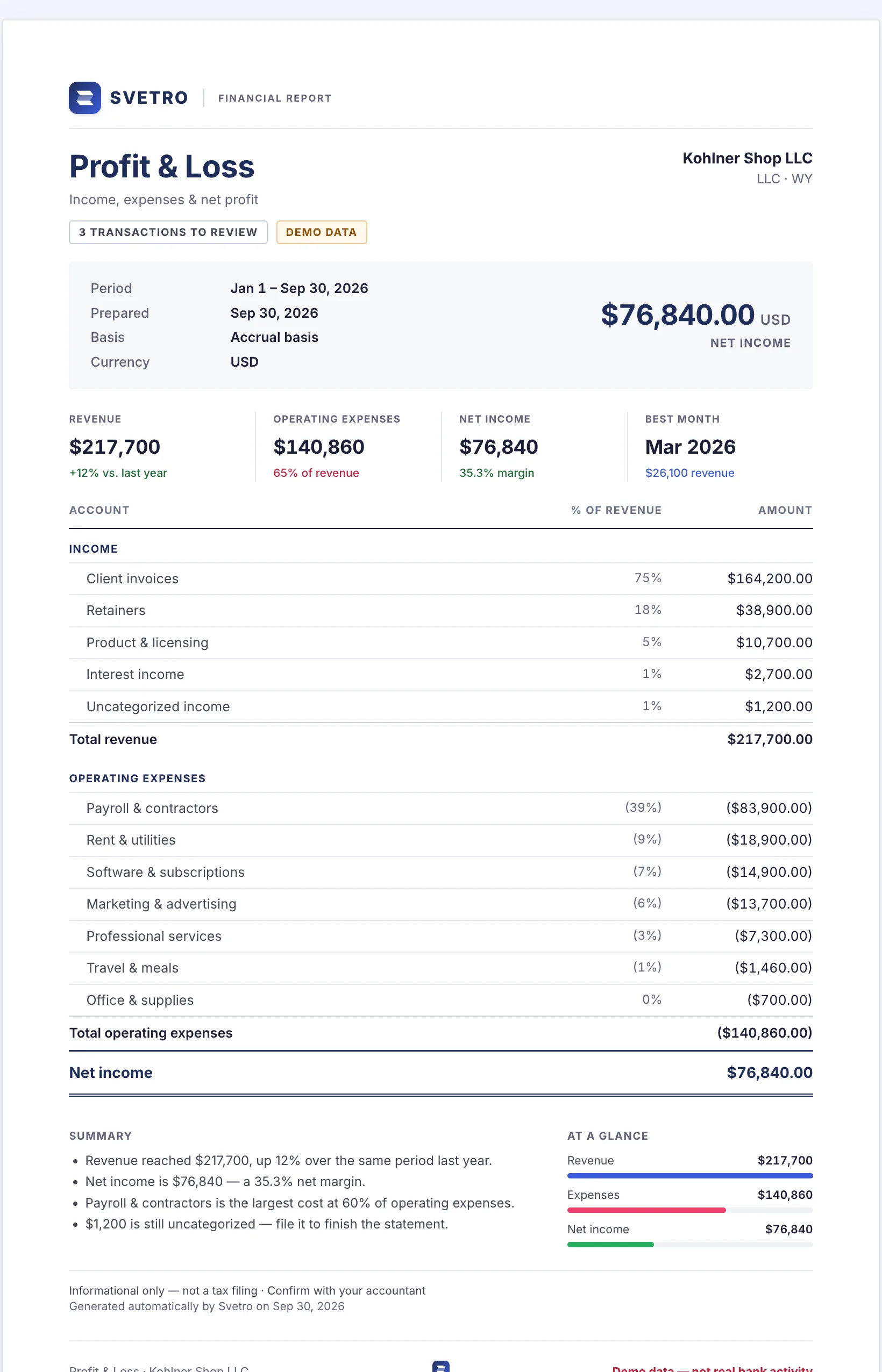
Ten reports, one set of books.
Every report is built from the ledger when you open it and checked against the others before it is shown.
Try it: one P&L, every angle.
Switch the period, compare it with the one before, and flip between accrual and cash. The figures are a sample set that adds up.
Profit & Loss
| Account | Current | Comparison | Variance |
|---|
Sample figures. Informational only, not a tax filing.
In your dashboard the same controls sit on every report, with custom date ranges and a comparison against the same period last year.
The PDF, as your accountant receives it.
Four sample reports from demo books, exactly as Financials renders them: header, summary figures, the table, a plain-English summary and the at-a-glance bars.
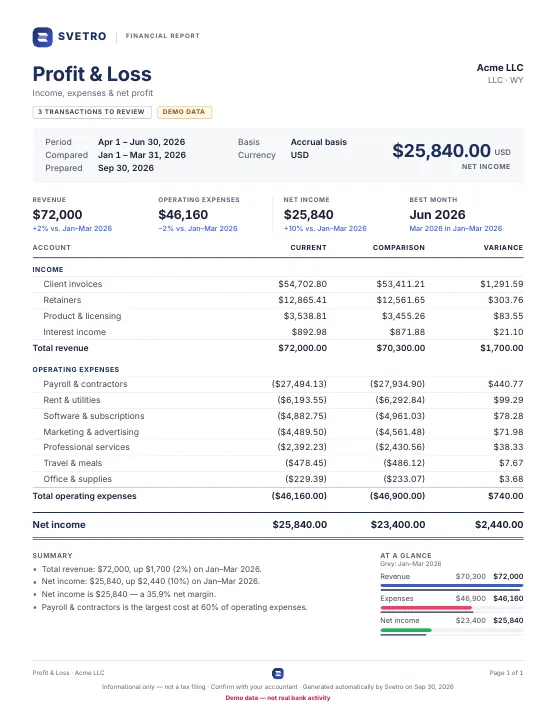 Profit & LossLast quarter vs. the previous one
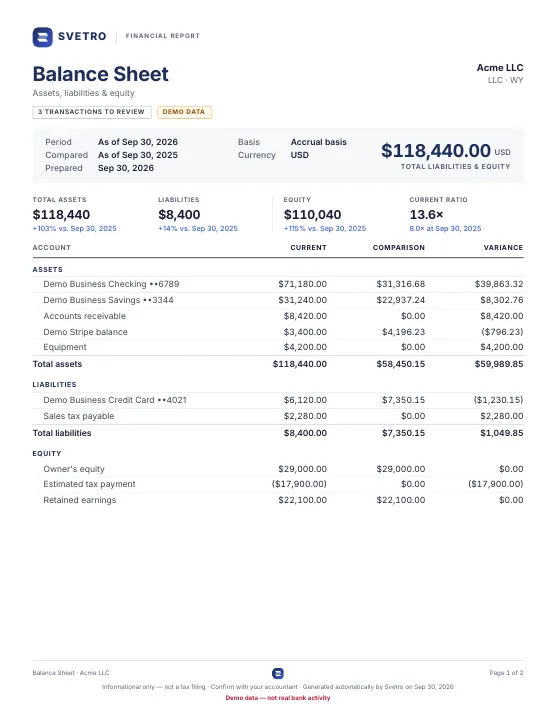 Balance SheetYear to date vs. last year
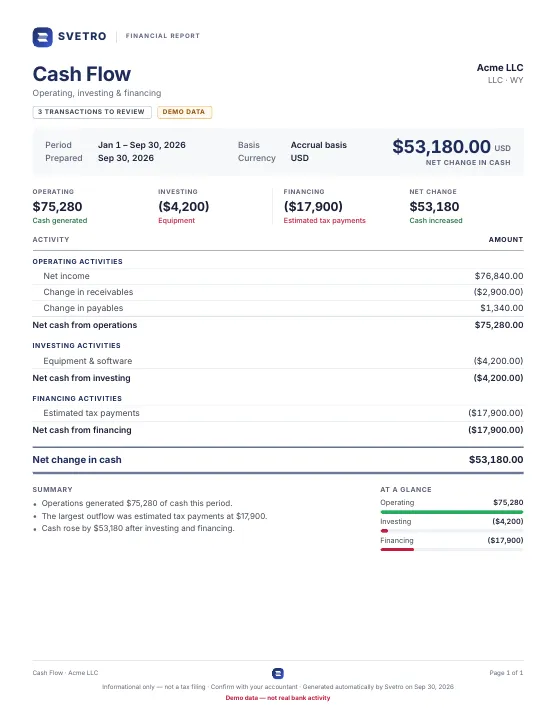 Cash FlowAll time
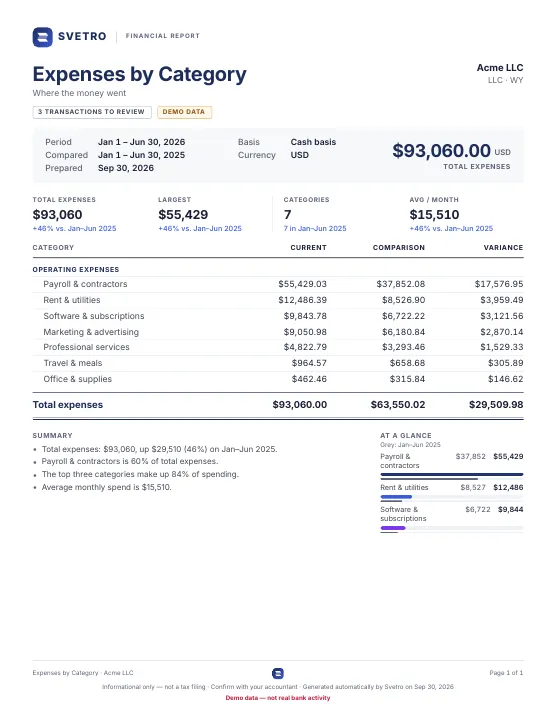 Expenses by CategoryCustom period vs. last year
The samples are demo data, marked as such on every page. Your reports carry your company's name and no demo mark.
Share a report without sending a file.
A share link opens the report, or the whole tax package, in a browser. It expires, it can be revoked, and it can tell you when it was opened.
- Links expire after 7 days unless you choose otherwise, from 1 hour to 30 days
- View only, or view and download
- Email me when it is opened, if you want to know
- Revoke a link at any time; an expired or revoked link shows nothing
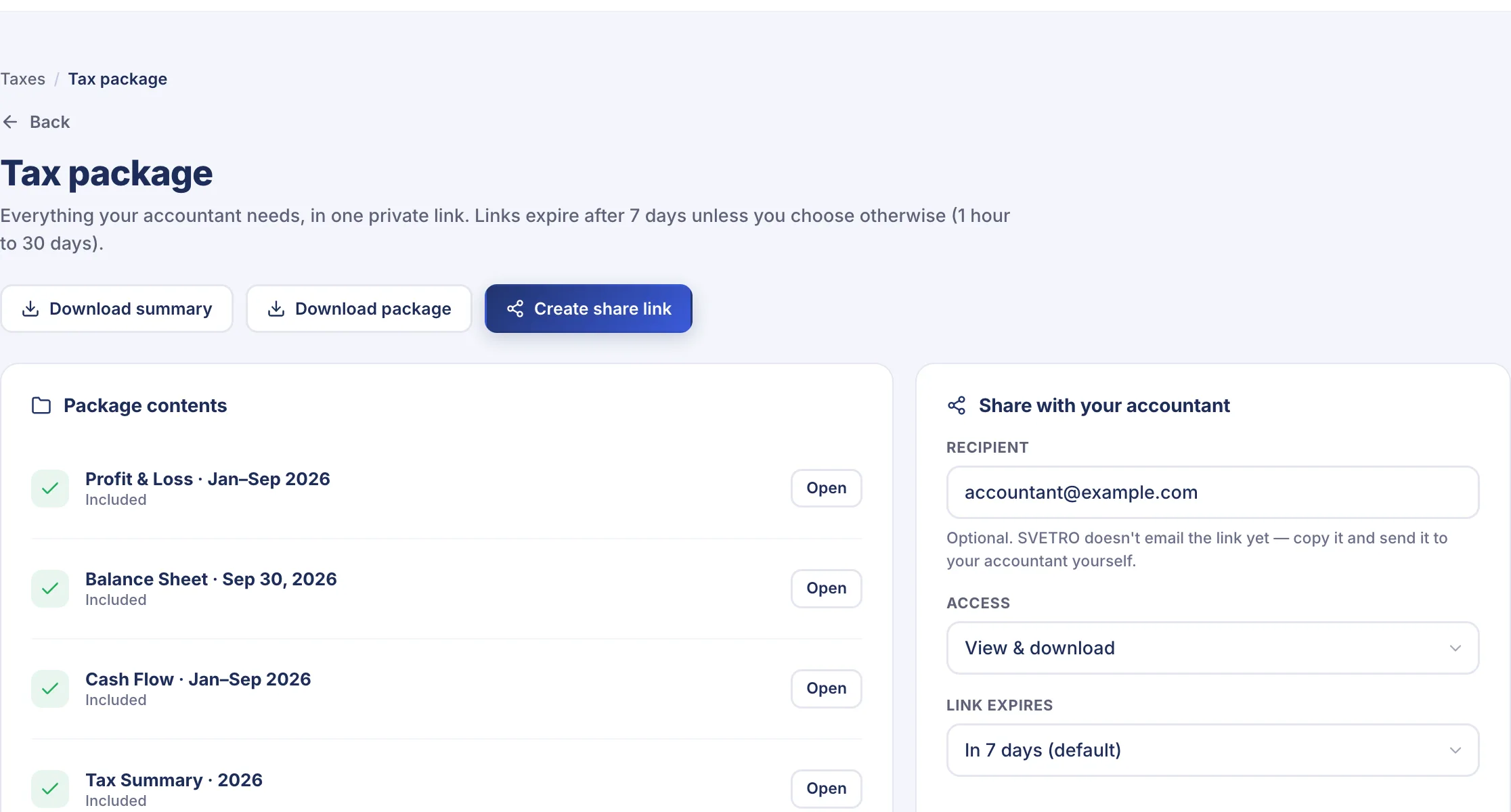
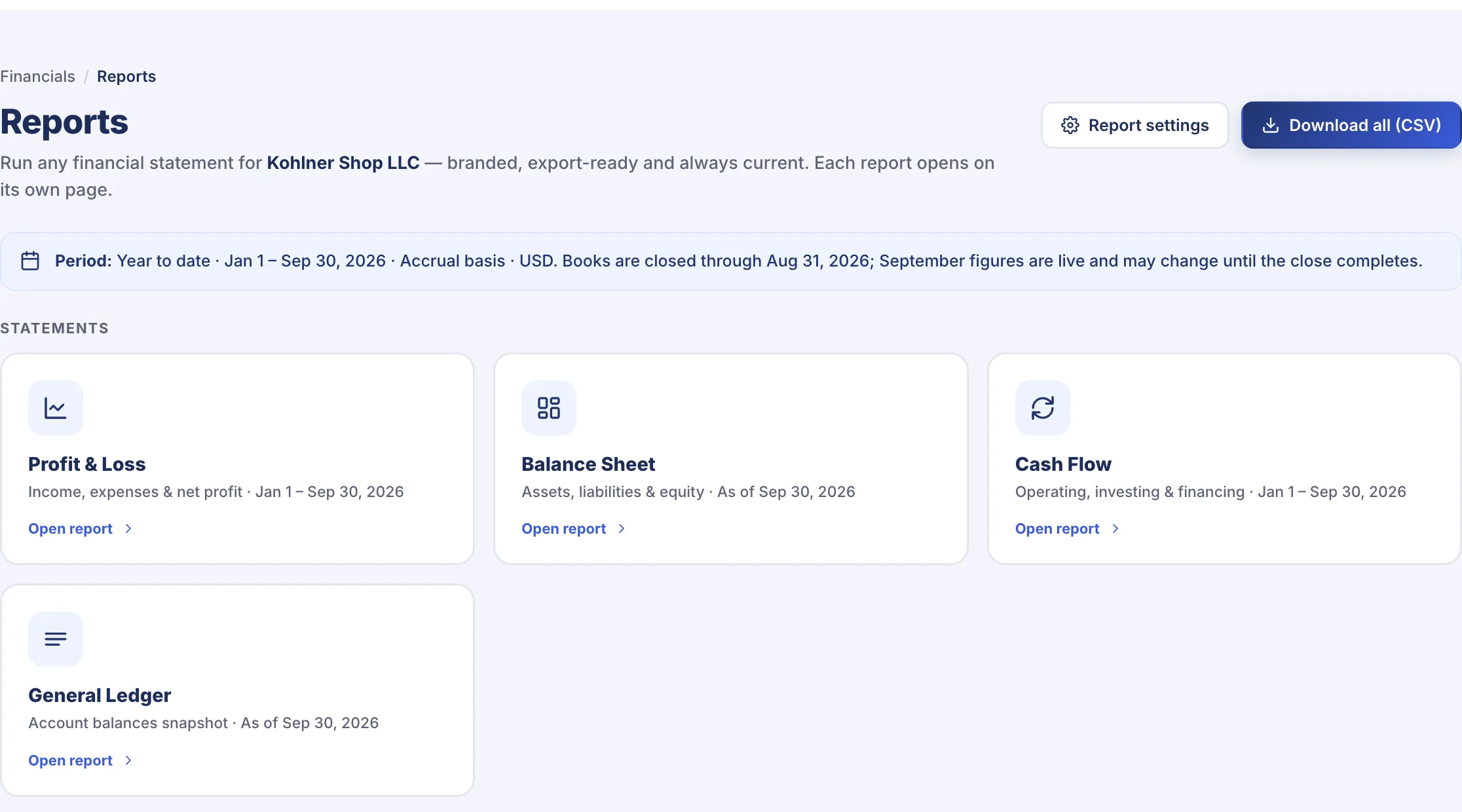
The screen, the CSV and the PDF agree to the cent.
A report is computed once and rendered three ways. Whatever you open, export or print carries the same figures, the same period and the same basis.
- Every report checks its own arithmetic before it is shown
- A comparison with no prior books shows a dash, never an error
- Download all ten as one CSV from the Reports page
Your whole finance desk. One place.
Bookkeeping, bank connections, reports, receipts and tax preparation together, on your Svetro company.
The finance desk for your Svetro company: books, bank connections, reports, receipts and tax preparation.
Join early access- Unlimited transactions and connected accounts
- All ten reports, with CSV and PDF export
- Receipts, document vault and tax package
- Your accountant invited at no extra cost
Pricing is announced at launch. Early-access companies are not charged.
Reports, answered.
What founders ask about their statements.
Ask Svetro Copilot how Financials fits your company.
Which periods can I run a report for?
Can I compare with last year?
Cash or accrual?
Will the PDF look like the sample?
Can my accountant get the reports without logging in?
Are these reports a tax filing or an audit?
Do reports include invoices I sent with Svetro?
Open any report. Trust what it says.
Ten reports, any period, any basis, and one set of figures whether you read it, export it or send it.
Early access first · PDF with your company's name · share links that expire