Svetro Financials · Bookkeeping
Books that close themselves, month after month.
Import, categorize, reconcile, close. Your rules do the routine work; you handle the handful of exceptions.
Your rules do the filing.
A rule says what to do with a transaction whose description contains a word. The first enabled rule that matches wins. Tick and untick the rules to see it work.
- Rules apply to new transactions as they arrive, and to the ones already in your books
- A rule can be limited to one account, or run on all of them
- Anything no rule matches waits in review, and never guesses a category
| Transaction | Amount | Category |
|---|---|---|
| Gusto payroll run2 employees, second half of September | $7,200.00 | Needs review |
| WeWork office leaseOctober | $2,100.00 | Needs review |
| Google Ads campaignSeptember spend | $1,560.00 | Needs review |
| Delta Air LinesClient visit, Chicago | $620.00 | Needs review |
| Gusto contractor paymentJ. Rivera, design contract | $3,200.00 | Needs review |
Reconciliation, line by line.
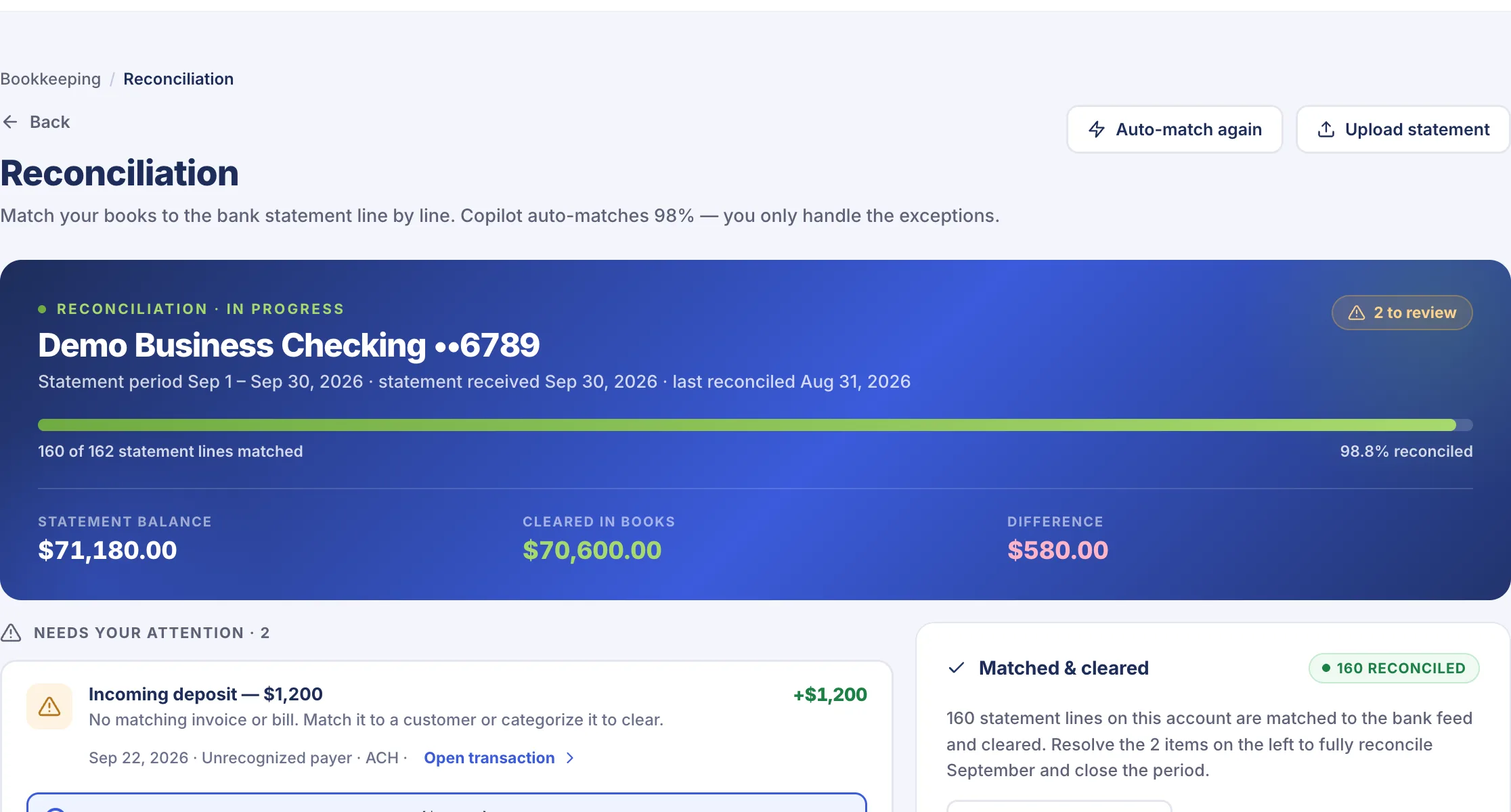
Each statement is matched against your books. You see how many lines cleared, the difference that remains, and exactly which lines caused it.
- 160 of 162 lines matched on their own in the demo books; the two left over are listed with a suggested fix
- A rule can finish reconciling a line only when the match is certain, to the cent; anything ambiguous goes to a person
- Every correction is on the record, with who made it and when
The monthly close, as a checklist.
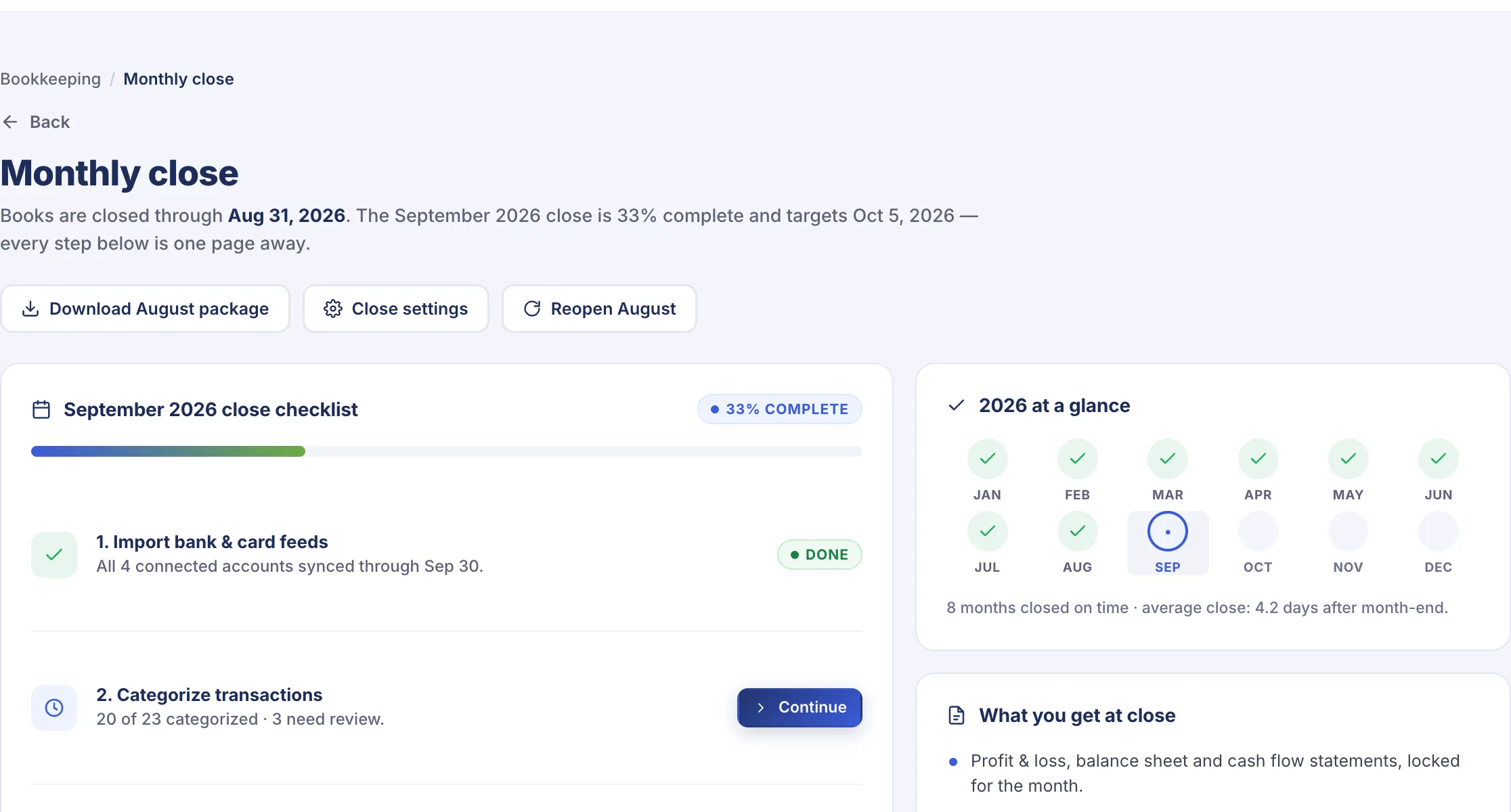
Closing a month means the figures stop moving. Svetro walks the five steps with you and locks the month at the end.
- Statements, locked. Profit & Loss, Balance Sheet and Cash Flow for the month, as they stood when you closed.
- The ledger and reconciliation. A general ledger export and a reconciliation record for every account.
- A package you can send. The close package can be emailed to you and your accountant each month, once you turn that on.
- A way back. Reopen a month with a reason if something arrives late. The reason stays on the record.
Close emails are off until you switch them on. Nothing is sent to anyone by default.
Cash or accrual. Your call, any time.
The basis changes how reports read your books, not the books themselves. Switch it, switch it back, and nothing is rewritten.
- Overview, reports, CSV and PDF all follow the basis you choose
- Tax figures keep reading your books' activity as recorded
- Totals are identical before and after any number of switches
An invoice counts as revenue when you send it, and a bill as an expense when you receive it.
Revenue counts when the money arrives and expenses when the money leaves.
A switch is a reporting choice. The ledger underneath keeps every entry exactly as it was recorded.
Your accountant, in the same books.
Invite the person who looks after your books with a role that fits what they do. No exports, no second copy.
- Invitations by email, with a role: view, bookkeeping, or full access
- Invites expire after 7 days and can be revoked; a used, expired or revoked link is refused
- Every change in the books carries who made it, so a shared set of books stays accountable
Your whole finance desk. One place.
Bookkeeping, bank connections, reports, receipts and tax preparation together, on your Svetro company.
The finance desk for your Svetro company: books, bank connections, reports, receipts and tax preparation.
Join early access- Unlimited transactions and connected accounts
- All ten reports, with CSV and PDF export
- Receipts, document vault and tax package
- Your accountant invited at no extra cost
Pricing is announced at launch. Early-access companies are not charged.
Bookkeeping, answered.
What founders ask about keeping the books themselves.
Ask Svetro Copilot how Financials fits your company.
Do I have to categorize every transaction by hand?
What if a rule makes a mistake?
What does reconciliation actually do?
Can I reopen a closed month?
Does switching between cash and accrual change my ledger?
Can my accountant make changes?
Does Svetro do the bookkeeping for me?
Close this month in an afternoon.
Rules that file, reconciliation that shows its work, and a close checklist that locks the month.
Early access first · no AI in your ledger · every change on the record