Svetro Financials · Expenses & receipts
Know where every dollar went.
Spend by month, category and vendor, subscriptions you forgot about, and every receipt attached to the charge it belongs to.
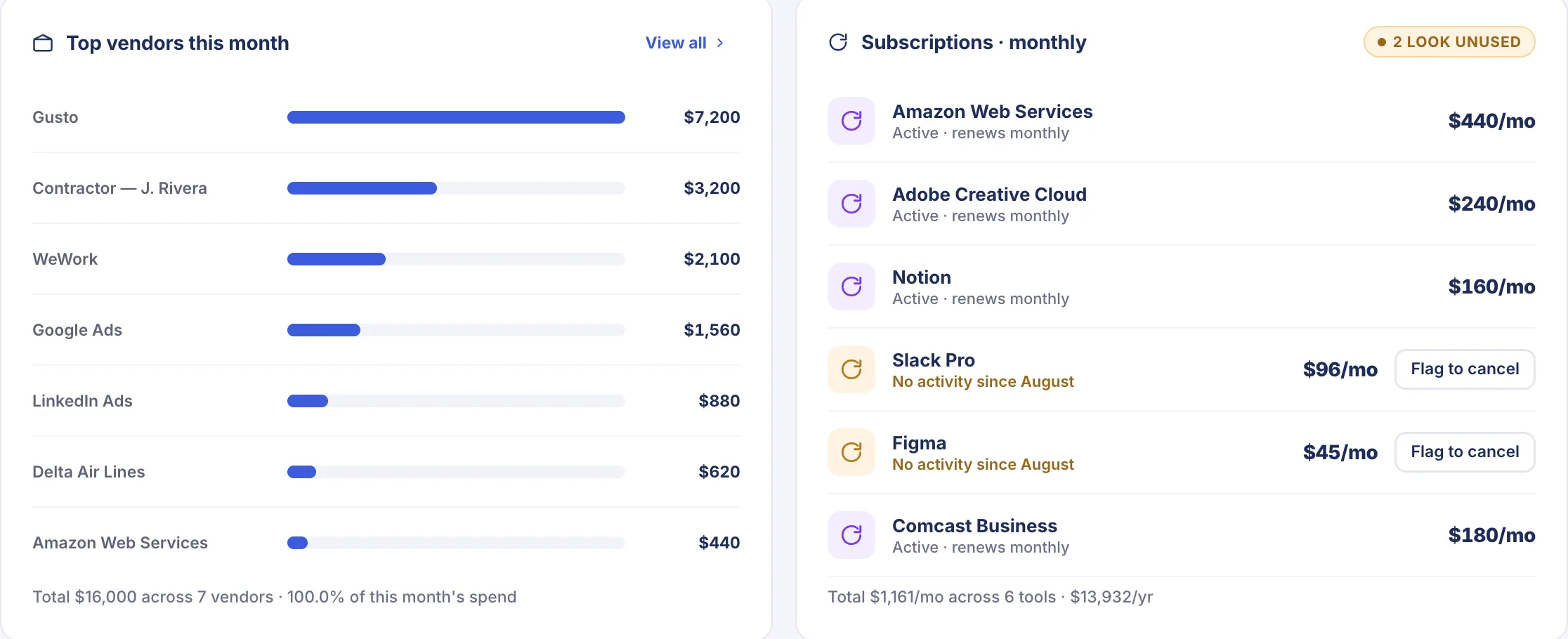
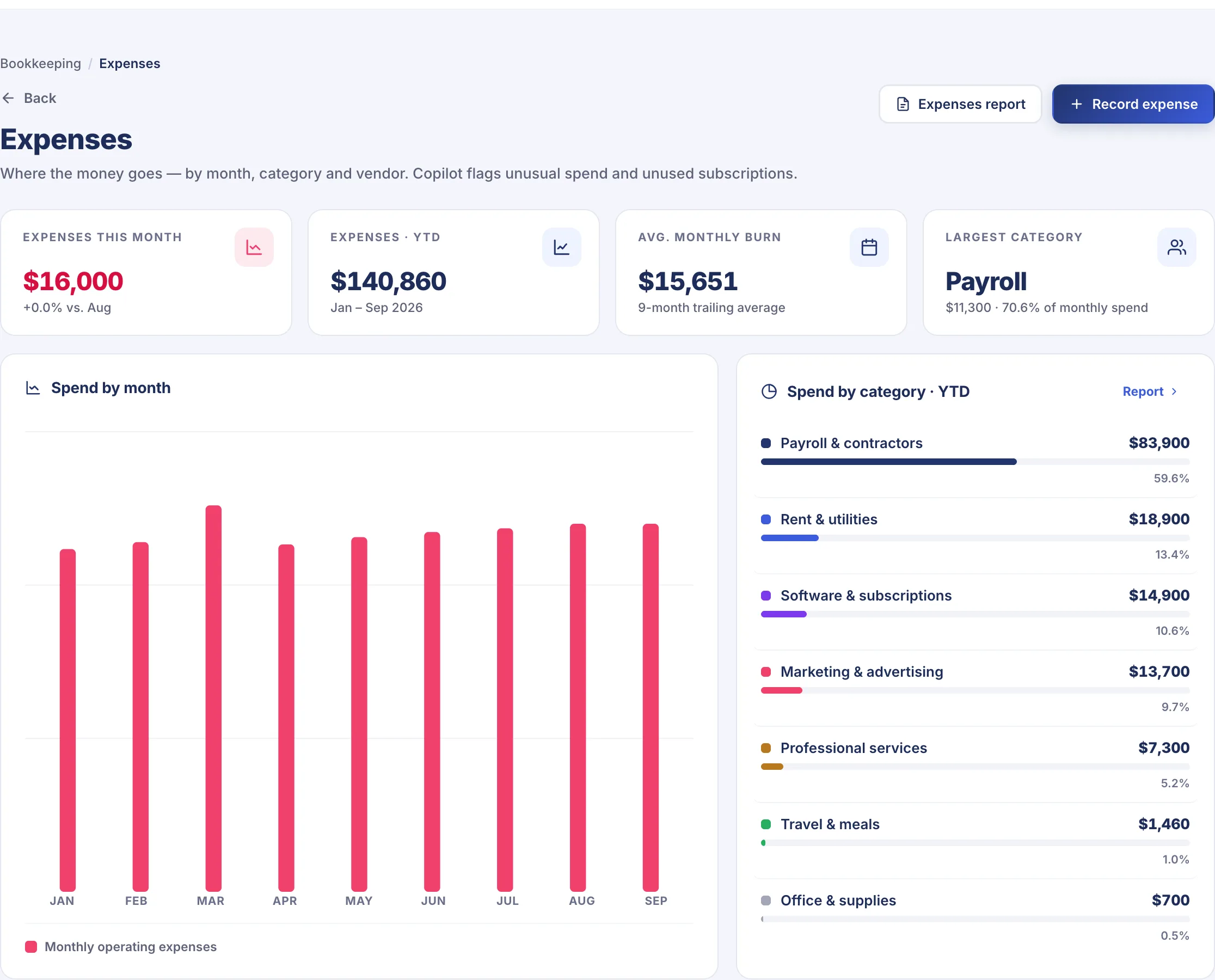
Spend, three ways.
The same expenses by month, by category and by vendor, so a jump in spending has a name within a click.
- Expenses this month and year to date, with the average monthly burn
- Spend by category with each category's share of the total
- Top vendors this month, and the largest category called out
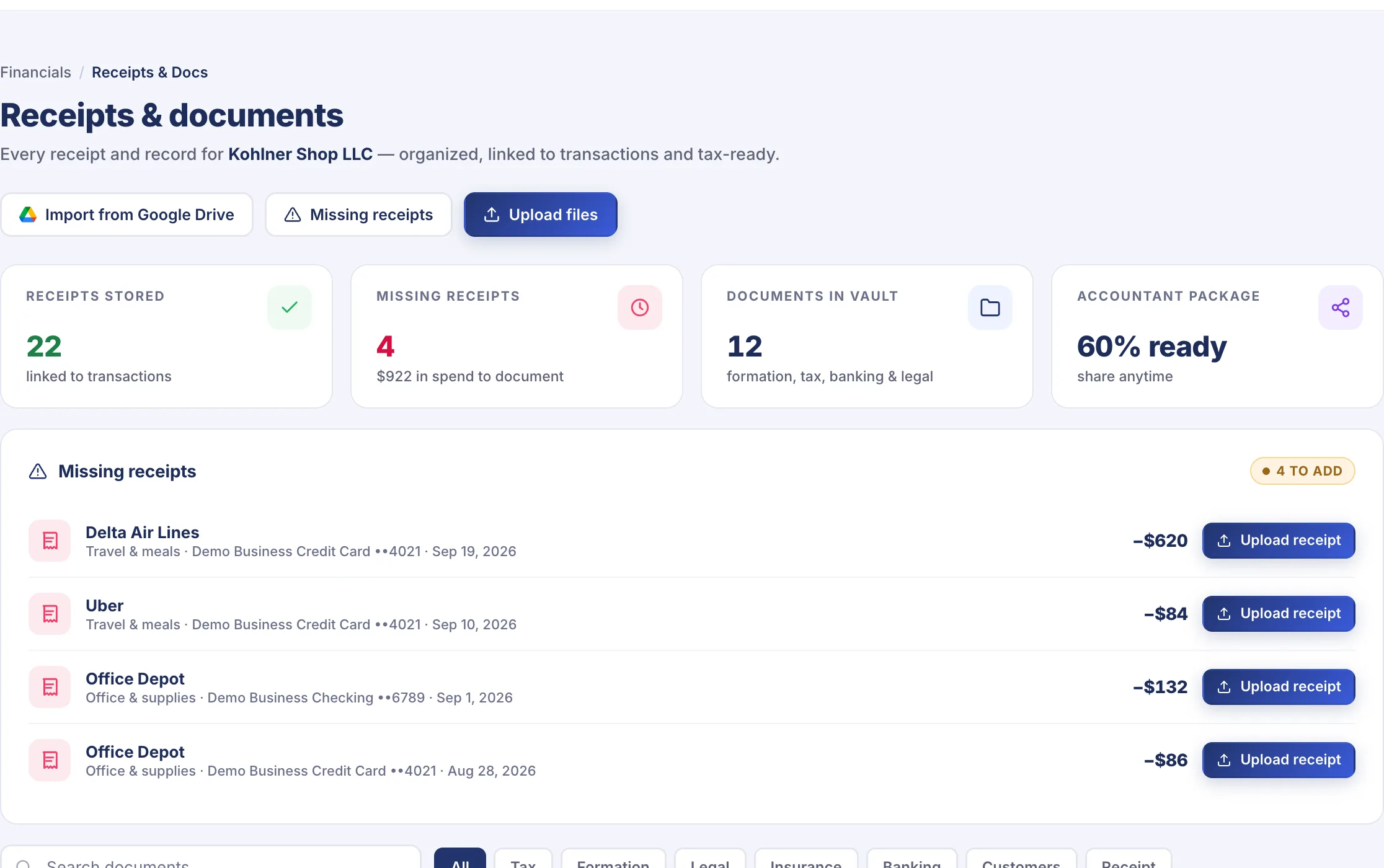
Receipts that are missing, named.
Every expense over the documentation threshold without a receipt is listed with its amount, so the gap in your records is a number, not a feeling.
- A count and a dollar total of what is still undocumented
- Subscriptions spotted from recurring charges, with the idle ones flagged
- The missing list feeds the monthly close and the tax package
A receipt finds its transaction.
Matching scores a receipt against your transactions by amount, date and vendor. What happens next depends on how sure the match is.
The amount matches to the cent, the date and vendor agree, and no other transaction comes close.
A good candidate, or two. You confirm with one click, or pick the right one.
The receipt is kept in the vault and listed, so you can attach it when the charge arrives.
Receipt uploads and Google Drive import open to early-access companies as the file-scanning step is completed. Demo books have them today.
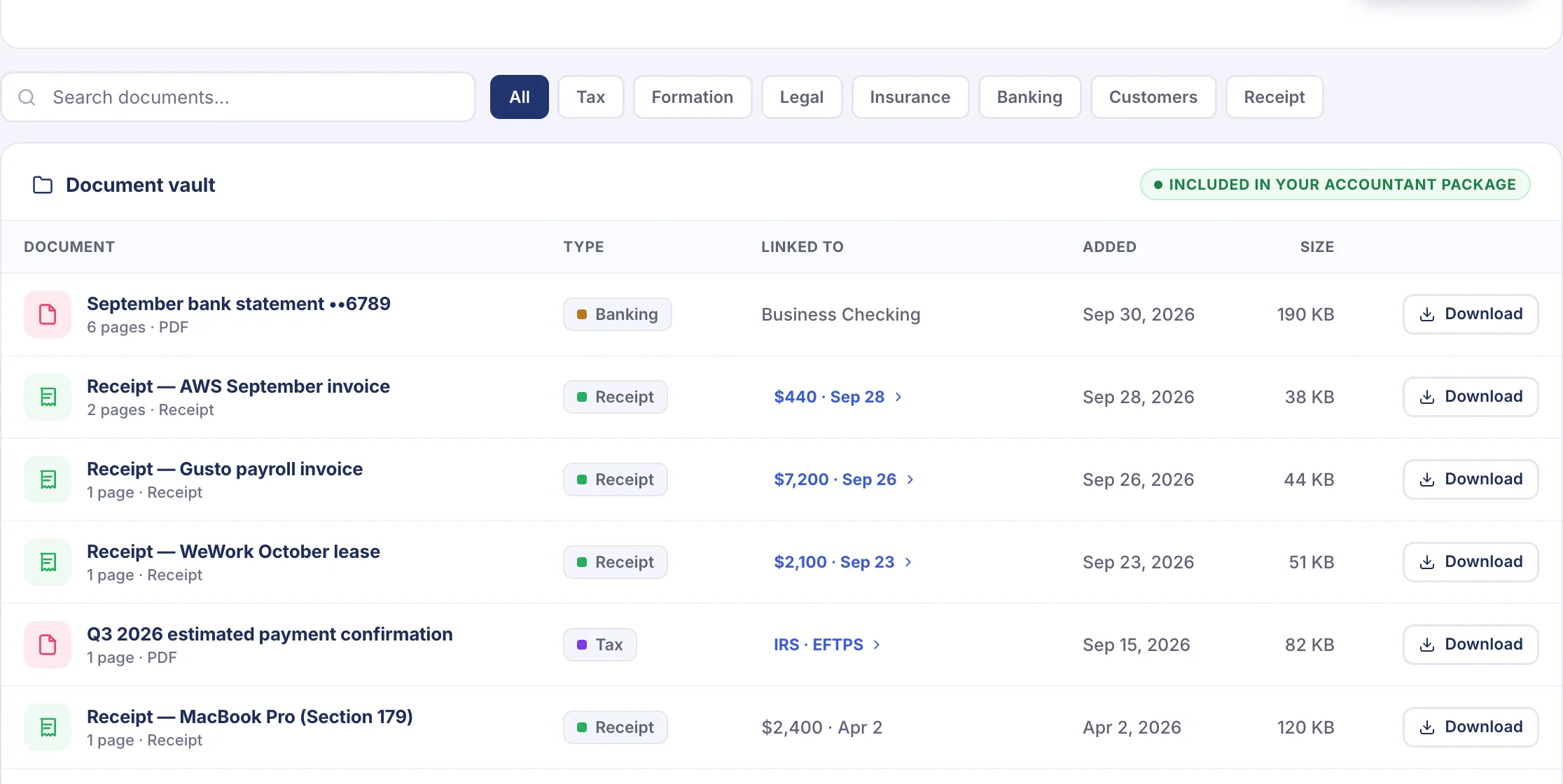
One vault for everything on paper.
Receipts, statements, tax confirmations, formation and legal documents, typed and linked to what they belong to.
- Types: receipt, tax, formation, legal, insurance, banking, customers, plus your own tags
- Every file is scanned before it is read, and a duplicate is recognized by its content
- The vault is what your accountant package draws from, so it is always ready to share
Your whole finance desk. One place.
Bookkeeping, bank connections, reports, receipts and tax preparation together, on your Svetro company.
The finance desk for your Svetro company: books, bank connections, reports, receipts and tax preparation.
Join early access- Unlimited transactions and connected accounts
- All ten reports, with CSV and PDF export
- Receipts, document vault and tax package
- Your accountant invited at no extra cost
Pricing is announced at launch. Early-access companies are not charged.
Expenses & receipts, answered.
What founders ask about keeping receipts straight.
Ask Svetro Copilot how Financials fits your company.
How do receipts get attached to transactions?
Can I upload receipts today?
What counts as a missing receipt?
How does Svetro spot subscriptions?
What happens to a file I add?
Can I photograph a receipt with my phone?
Every charge explained. Every receipt where it belongs.
Spend by month, category and vendor, subscriptions flagged, and a vault your accountant can open.
Early access first · files scanned before they are read · duplicates recognized